A project board can look perfectly healthy to a person and still be unusable to an AI agent.
People compensate for loose task structure without thinking about it. They know that “ready” means design approved in one project and engineering complete in another. They recognize that a name in the description probably owns the work, even though the assignee field is empty. They remember which launch a task belongs to because they attended the planning call.
An agent receives the fields and text in front of it. If those fields carry several meanings, the agent has to guess. The guess might survive a status summary. It becomes risky when the agent assigns work, changes a date, or tells a customer-facing team that a feature is ready.
This changes the value of a task schema. Fields, statuses, and hierarchy used to support reporting and project hygiene. They now determine which actions an agent can take reliably.
A board can hide ambiguity from its own team
Most task trackers accumulate local conventions. One team puts acceptance criteria in the description. Another uses subtasks. A third writes them in comments after implementation has started. “Blocked” might be a status, a label, or a sentence that begins with “Waiting on.”
People learn these conventions through repetition. New hires ask questions until the board makes sense. Longtime team members stop noticing how much interpretation they supply.
AI exposes that hidden work because it has to turn an instruction into a specific operation. Consider a request such as “Move the release items that are ready into QA.” Before changing anything, the agent has to answer several questions:
- Which list contains the release items?
- What qualifies as ready?
- Does moving an item change its status, its list, or both?
- Should subtasks move with their parent?
- Does QA require an owner or a release candidate?
If the workspace answers those questions through stable structure, the operation is straightforward. If the answers live in team memory, the agent either stops to ask or makes an assumption. Frequent interruptions make the assistant feel weak. Silent assumptions are worse because the board still looks orderly after the wrong update.
Dutify Cloud gives work a five-level hierarchy, Jira-style task keys, custom fields, and multiple views. Those features matter to AI-assisted work because they reduce how much meaning has to be inferred from prose.
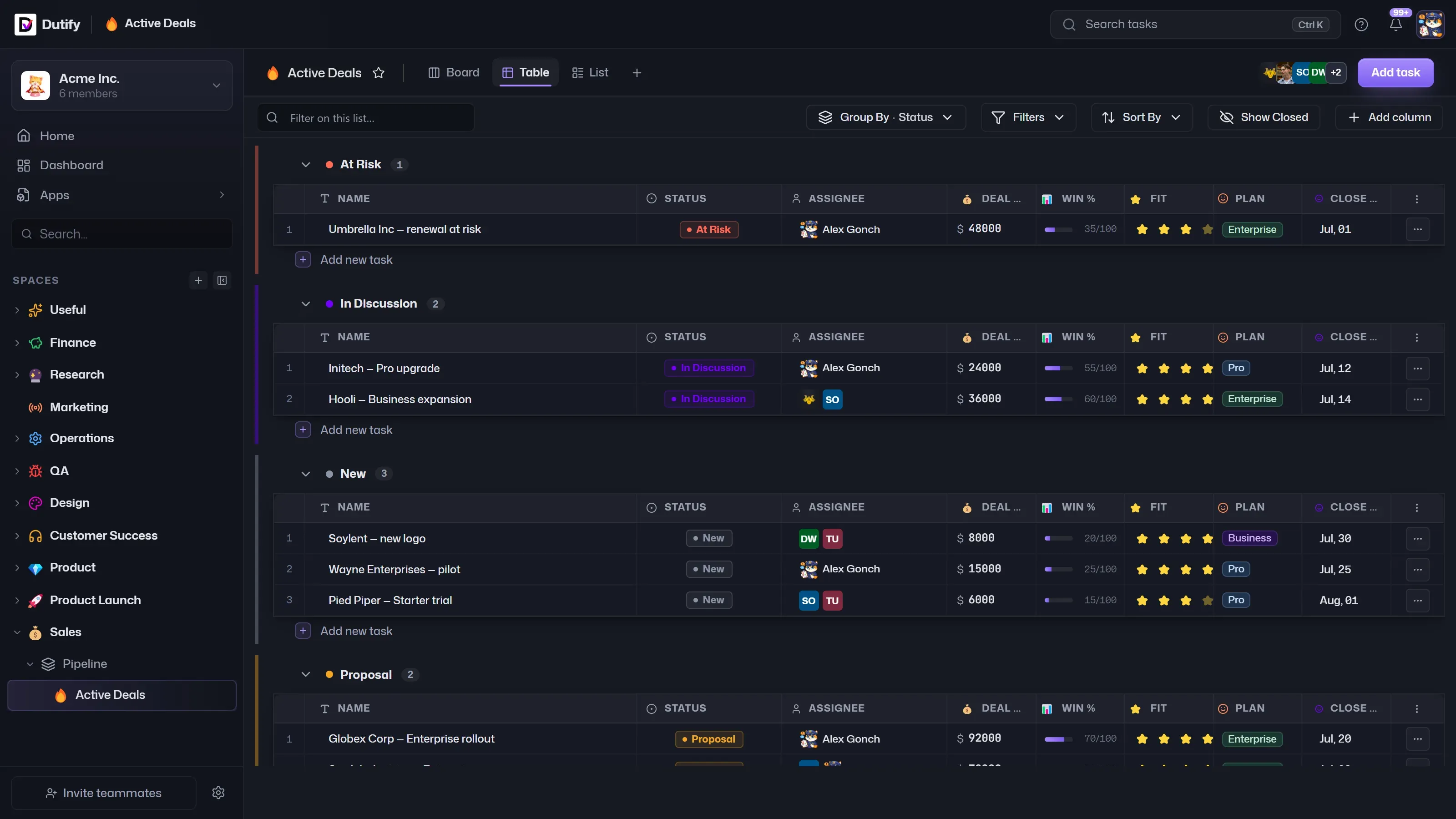
The hierarchy tells the agent where a task belongs. Fields state what kind of work it is and which conditions apply. A stable task key lets discussions, documents, and automated updates refer to the same item without relying on its title.
Once agents can act on a board, these details become part of the operating interface.
Status names are small pieces of executable policy
A person sees “In review” and uses context to decide what happens next. An agent needs a narrower definition.
Does “In review” mean a pull request exists? Has someone been assigned to review it? Has the code passed automated checks? Could a task enter that state before a deploy preview is available? Each answer changes what the agent should do when asked to find stalled work or prepare a release update.
A status is useful to automation when entry into that status has a consistent meaning. The name alone does not provide that consistency. The workflow around it does.
For example, if “Ready for QA” requires an assignee and a release candidate, those facts need fields the agent can inspect. Otherwise it has to search comments for clues. A comment saying “looks good from my side” might approve a design, acknowledge a fix, or close an unrelated discussion. Treating that sentence as a workflow transition would turn conversational ambiguity into a project update.
This is where teams often blame the model for a schema problem. A stronger model can interpret more language, but interpretation cannot recover a rule that the team applies inconsistently. The project setup has to carry the distinction.
That does not require a field for every detail. Excess structure creates its own mess, especially when people stop maintaining it. The useful fields are the ones that change routing, ownership, reporting, or an allowed action. If an agent would behave differently depending on the value, the value deserves a defined place.
Custom fields set the boundaries of safe automation
A free-text task can describe almost anything. That flexibility helps people write quickly, but it gives an agent few dependable boundaries.
Suppose an agent is asked to identify work at risk for an upcoming release. A paragraph might mention a target date, an external dependency, and a tentative owner. Extracting those details is possible. Acting on them is harder because the text does not say whether each detail is current or merely part of an old discussion.
Custom fields separate current project state from narrative context. A release field can identify the applicable release. A dependency field can point to the blocking item. An owner field records responsibility in a form that the board and agent both understand.
The description still has a job. It explains the work, records constraints, and gives the assignee enough context to make decisions. Structured fields carry the small set of facts that automation must read consistently.
This separation becomes important when the agent writes back. If someone asks for a deadline change in Slack, the AI Coworker can prepare an update to the due date field instead of editing a sentence buried in the description. The proposed change has a clear destination, and a person can review exactly what will change before applying it.
The same principle applies to scripts and integrations. Dutify Cloud supports scoped API keys so an agent or script can call the API within an intended boundary. Access scope limits where the caller can operate. The task schema limits what a valid update means inside that area.
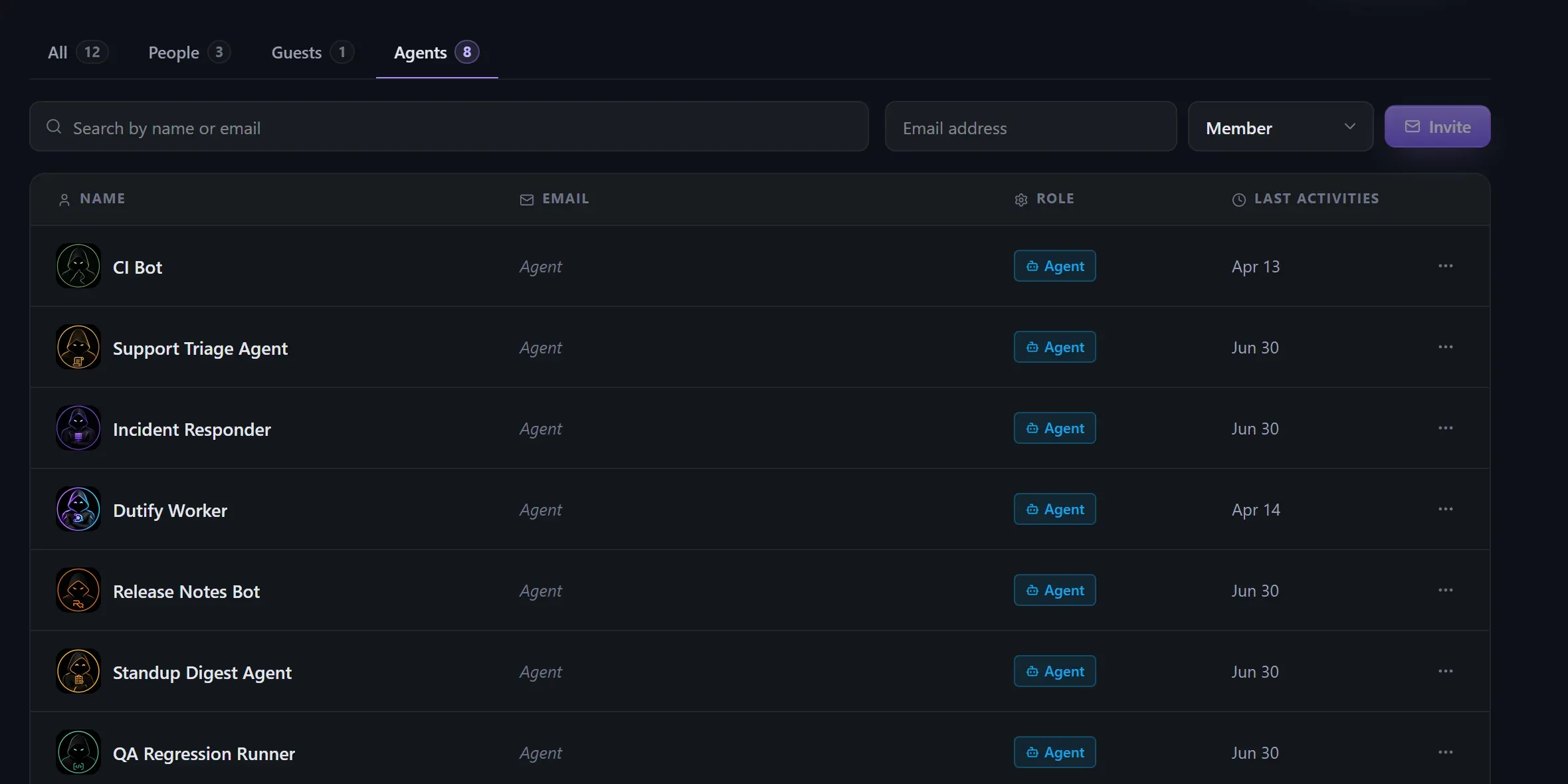
Permissions cannot repair ambiguous work. An agent with access to one project can still make a poor update if “priority” mixes customer impact, engineering urgency, and executive interest. Clear fields make the permission boundary useful because allowed actions have predictable consequences.
Views are part of the contract too
Teams often think of board, list, and table views as personal display preferences. They also reveal whether the underlying model is coherent.
A table grouped by release should show every release item in a sensible place. If half the work falls into an empty group, the release field is being skipped or the team is storing that information elsewhere. A board grouped by status exposes tasks that have no valid next step. Filters reveal labels that overlap or fields whose values have drifted.
These are ordinary project management problems, but AI raises the cost of leaving them unresolved. A person scanning a messy table can mentally discard exceptions. An agent sees data that appears equally authoritative. If two fields disagree, it needs a rule for which one wins.
Views provide a practical way to inspect the same work the agent will query. The team does not need to read API payloads to find weak structure. Grouping and filtering the board will usually expose missing values, duplicate meanings, and tasks that sit outside the expected workflow.
This also keeps schema work grounded in actual use. A field that never supports a decision, filter, automation, or handoff is probably administrative residue. Removing it can improve reliability because both people and agents have fewer places to put the same fact.
The goal is a board whose visible organization matches the rules used by its integrations.
Hierarchy gives agents a usable scope
Agents need to know where an instruction starts and stops. Project hierarchy supplies that boundary when teams use it consistently.
“Summarize blocked work” means very different things at workspace, space, folder, list, and task level. A workspace summary might cross several functions. A list summary can focus on one queue or release. Without a clear scope, the agent either returns an unwieldy answer or omits work the requester expected to see.
Hierarchy also prevents one operational pattern from leaking into another. A support queue and a launch plan can use different fields because they represent different kinds of work. The support queue might care about affected customers and severity. The launch plan needs release candidates, specifications, and milestones. Forcing both into one flat set of conventions makes every task harder to interpret.
Dutify Cloud can keep those workflows inside one workspace while preserving their separate structures. An agent can then operate against the relevant space, folder, or list instead of searching every task and inferring category from titles.
The hierarchy only helps when placement carries meaning. If teams scatter related tasks across lists for convenience, scope becomes another guess. A consistent location lets the agent answer questions and prepare changes with fewer exceptions.
The best agent behavior begins before the prompt
Prompt design gets much of the attention in AI tooling because it is visible. Project structure works quietly underneath it.
A carefully worded prompt cannot make an empty owner field identify the responsible person. It cannot decide whether two priority labels mean the same thing. It cannot know that one team’s “Done” still requires a production release while another team’s “Done” ends at merge.
When statuses have defined entry conditions, fields carry current operational facts, and hierarchy reflects the team’s real boundaries, prompts become simpler. The agent can retrieve a bounded set of tasks, check explicit values, and prepare changes that a person can inspect.
There will still be judgment calls. Product work contains uncertainty, and teams change their minds. Those decisions belong in discussion until someone commits to a course of action. Once the decision changes the work, the project board needs an explicit update that people and agents can read the same way.
That is the practical shift behind an AI-native project tool. Dutify Cloud gives agents a place inside the workspace, but their usefulness depends on the structure they encounter there. A board that explains itself to software also becomes easier for people to maintain, query, and trust under release pressure.